1.Photograph
Snap the delivery note or invoice when the order arrives.
Cost control
CaterCTRL turns delivery paperwork into a living record of suppliers, products and purchase prices — and keeps recipe costs and gross profit live as those prices move.
Deliveries
Photograph a delivery note or invoice and let CaterCTRL do the repetitive reading. Review the result, confirm it, and build a better supplier and price history over time.
Snap the delivery note or invoice when the order arrives.
AI reads the supplier and document details — suggestions only, always marked as unverified until reviewed.
Your team checks every value. Human confirmation is authoritative — nothing is accepted automatically.
Confirmed deliveries build supplier, product and price history — so the next delivery is quicker.
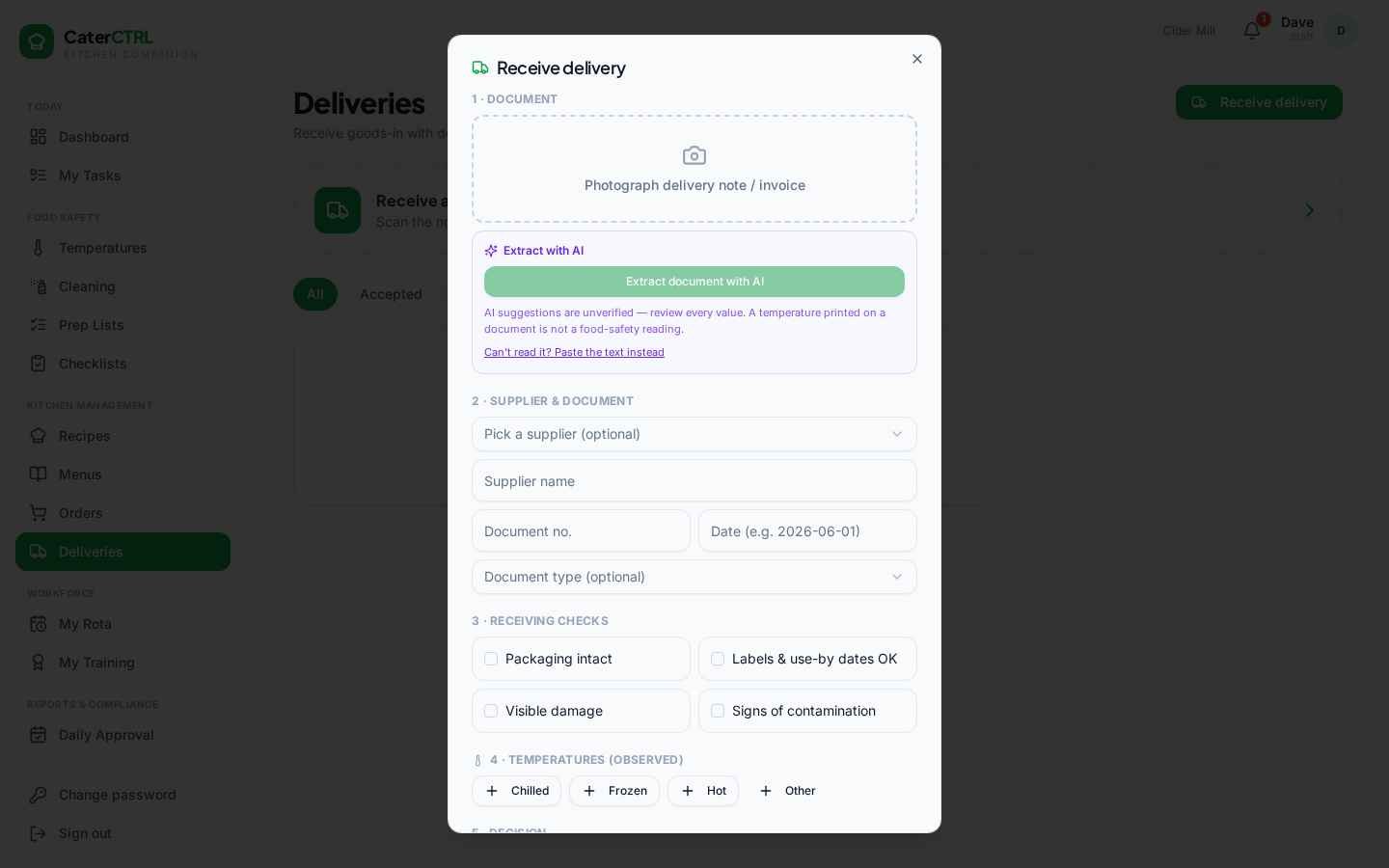
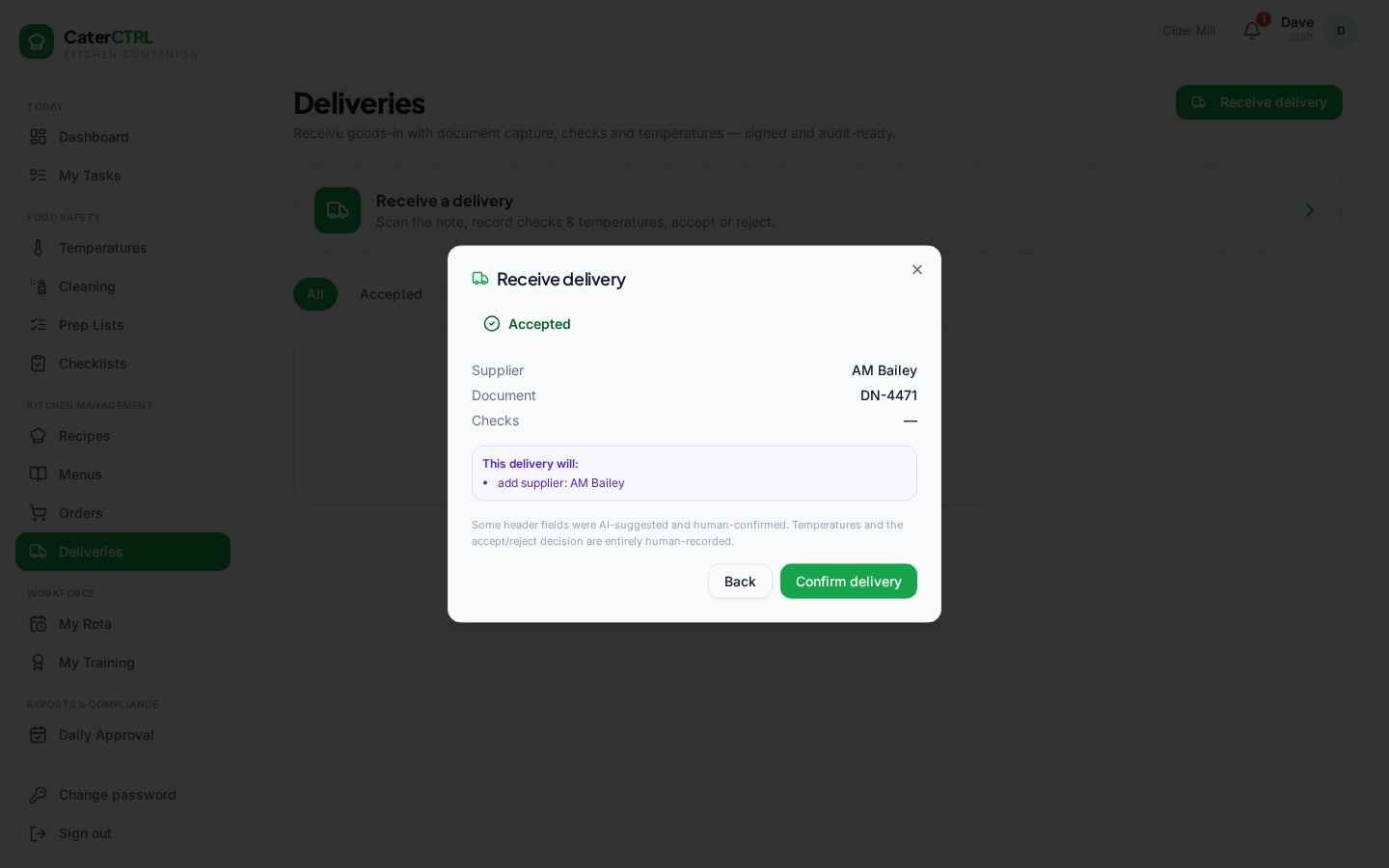
The real CaterCTRL app — AI-assisted, human-confirmed
Suppliers & products
Deliveries feed a living supplier and product catalogue — so purchasing decisions are based on your records, not memory.
Supplier records with contacts, order cut-offs and site coverage — plus a shared supplier directory to build from.
Supplier-specific products with SKU and pack/unit information kept the way each supplier actually sells to you.
Every confirmed delivery adds to your purchase history, so you can see how prices move over time — per product, per supplier.
The same product from different suppliers stays comparable, so switching or negotiating is based on your own records.
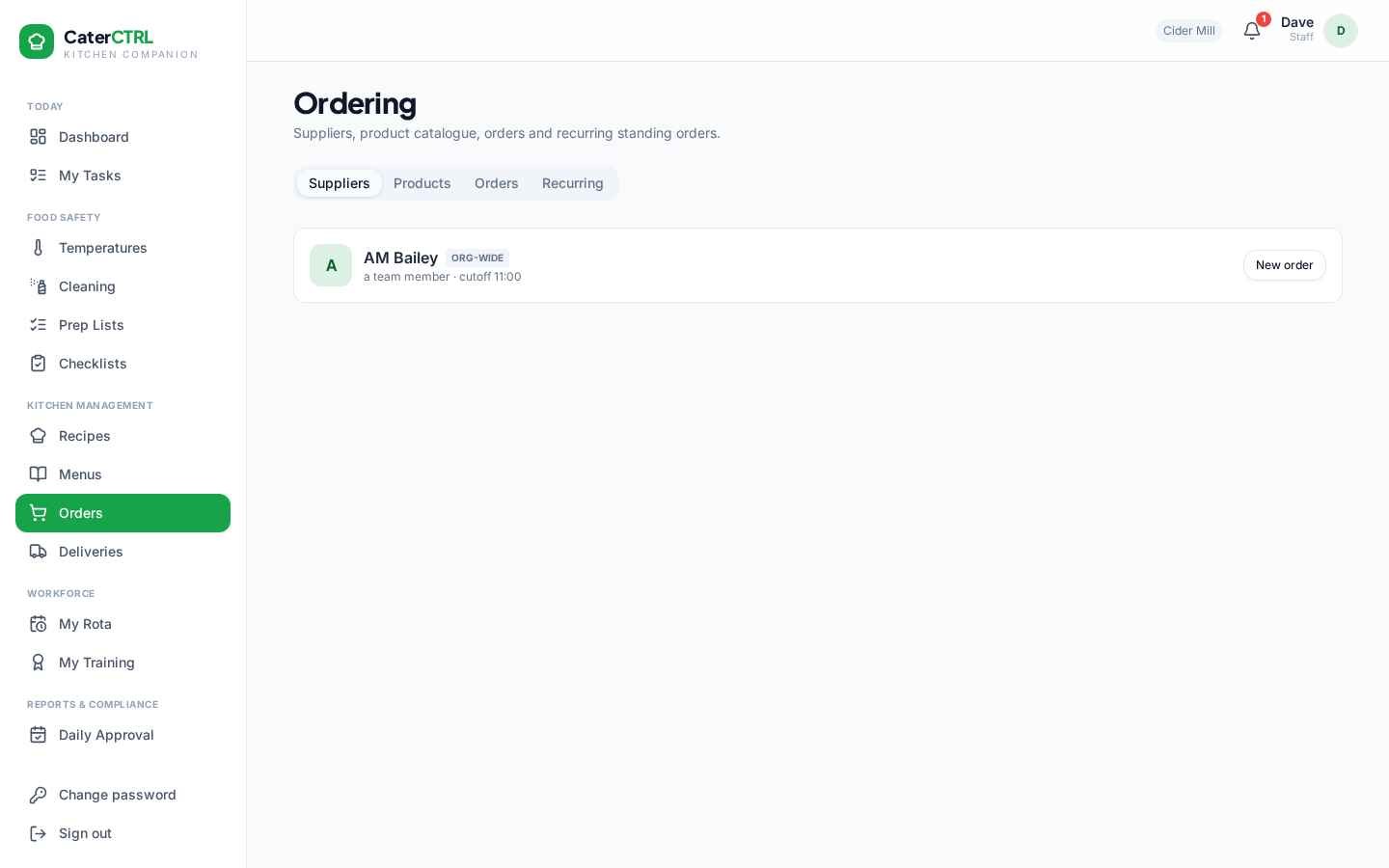
The real CaterCTRL app — suppliers & ordering
Try the idea
An illustrative example. Drag the supplier price change and watch it flow through the recipe to gross profit — the same chain CaterCTRL keeps live across your whole menu.
0%
Illustrative dish — Chicken supreme, mushrooms, madeira
Supplier price changes
Product costs update
Recipe cost recalculates
GP moves — visibly
Figures are illustrative, not customer data. In CaterCTRL this chain runs across every supplier, product, recipe and menu you manage.
Recipes are built from real supplier products, so costs stay current as prices move — no more costing a menu once and hoping for the best.
See GP per dish and per menu as costs change. Spot margin pressure early and adjust pricing, portioning or suppliers with confidence.
One database of suppliers and products means one place to update a price — and that update flows through recipes and menus.
Build menus from costed recipes with connected allergen information, and understand the margin of the whole menu before it goes to print.
Early access · January 2027
Bring a delivery note or a dish to the demo — we will show you what the flow looks like with real numbers.
We use privacy-conscious, first-party analytics to understand how the site is used — no third-party cookies, no cross-site tracking, no fingerprinting. See our Cookie Policy.